Last Updated: November 15, 2026 · Salado Commercial Pressroom
Curl, Wrinkles, Orange Peel and Boat Wake: The Dimensional Defects
Why do single-sided covers curl into tubes or dimple like orange peel? Diagnose unwind brake tension, >255°F overheating & paper grain mismatch.
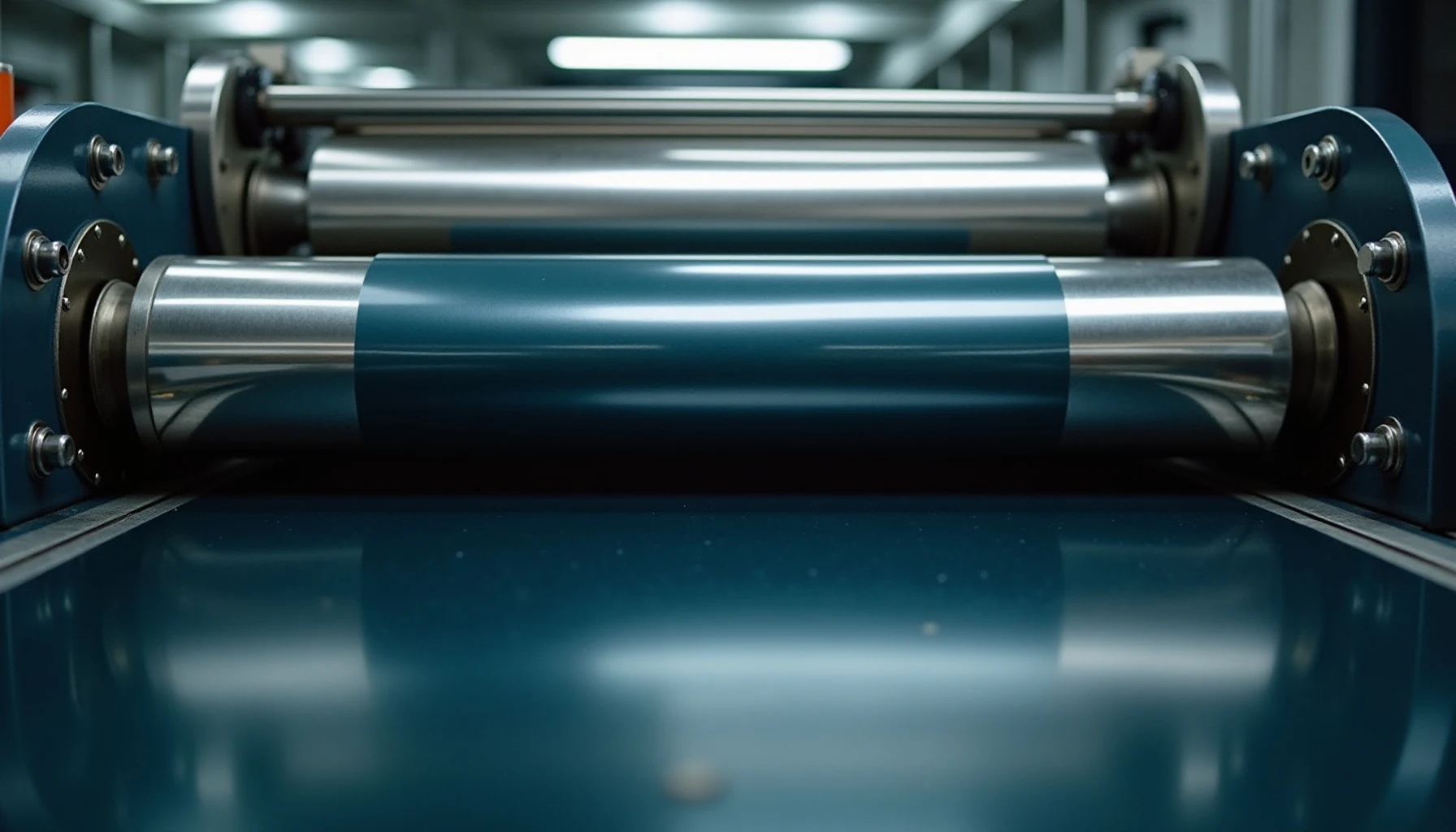
In Lamination Services’ Salado, Texas plant, post-lamination curl, orange peel, and boat wake are eliminated by minimizing roll-unwind brake stretch, keeping calender heat below 245°F, aligning sheet grain, and specifying breathable lay-flat nylon (BOPA) on single-sided book covers.
Silvering and delamination are bond problems. This is the other family: defects where the bond is fine but the sheet is the wrong shape.
They get lumped together as “the laminator is out of adjustment,” which is usually wrong. Curl, wrinkling, orange peel and rippling have four different mechanisms, and each leaves a distinctive signature. Learn the signatures and you skip the guesswork.
The unifying principle: a laminated sheet is a composite of materials with different dimensional behavior. Paper takes up and gives off moisture and moves far more across the grain than along it. Film stretches under tension and contracts as it cools. When those movements don’t cancel, the sheet deforms.
1. Grain direction: the variable underneath most of them
You cannot troubleshoot flatness without knowing which way the fibers run.
As paper is made, all the fibers within the pulp stew begin to line up in the direction in which the paper machine is moving; the cellulose fibers align side by side, and the result is that many more fibers than not point in the same direction, forming a grain direction.
Typically, on an 8.5 × 11 inch sheet the grain is in the 11-inch, or grain long, direction, meaning the vast majority of fibers are aligned parallel to the 11-inch length; if the sheet were cut grain short, most fibers would point across the 8.5-inch direction.
The number that explains almost everything
Here is the fact that makes grain non-negotiable in finishing: paper fibers expand and contract as much as 400 percent more across the grain direction than with the grain direction.
Paper fibers constantly expand and contract, mainly due to ambient conditions as well as glues and moisture associated with many binding processes, and most likely the expansion and contraction of unbound paper won’t be noticed — but it is happening. Bind or laminate that sheet and the movement stops being invisible.
In binding, the consequence is gusseting: if paper is bound into the spine across its grain direction, as the paper expands and contracts there will be as much as 400 percent more movement of the paper fighting against the anchor of the binding, and there is almost no way to repair a gusseted book once it is bound. In lamination, the same asymmetry drives curl and center wrinkle.
Reading grain without a test
The easiest and best way to determine grain direction is to order the paper in the direction required, and grain direction is noted on most paper packaging, swatch books and paper mill stock sheets — most commonly as the last dimension of the sheet, so 11 × 17 inch is grain long (fibers run in the 17-inch direction) and 17 × 11 inch is grain short. Sometimes the grain-direction side is bolded or underlined instead.
The laminating trade uses the same convention: if the second number is longer than the first (12″ × 18″) the paper is long grain and should be fed landscape; if the second number is shorter (18″ × 12″) it is short grain and should be fed portrait.
Four field tests when the label is gone
From Kater-Crafts Bookbinders, via PostPress:
| Test | Method | Read |
|---|---|---|
| Folding | Fold a small sheet both ways | Folds more easily and smoothly parallel to the grain; against the grain the small fiber particles break and make an unsatisfactory fold |
| Moisture | Apply moisture to one side | It immediately starts to curl in one direction; the expansion is on the cross-grain edge, and the curl indicates the grain direction |
| Bending | Bend thicker papers both ways | One direction offers considerably more resistance; parallel to the grain the resistance is far less |
| Tearing | Tear longitudinally and transversely | The tear pattern is straight parallel to the grain and jagged across it |
The moisture test is the one worth internalizing, because it is a miniature of the curl mechanism itself: wet one side, the cross-grain edge expands, the sheet curls. Laminating one side does the same thing in reverse — it seals one face against moisture while the other keeps breathing.
2. Wrinkles
2.1 The center wrinkle — a width problem, not a pressure problem
The most frequent culprit for wrinkling is incorrect orientation of the substrate, and for best results paper should be fed into the laminator with the paper grain running parallel to the rollers.
The width rule that follows is where most shops go wrong:
- Grain parallel to the rollers: substrates should measure ½ inch wider than the laminate for the best results.
- Grain perpendicular to the rollers: using polyester (PET), polypropylene (OPP) or nylon films, the substrate should be the same width as the laminate — and this is especially important for thinner paper.
The failure mechanism in the second case is specific: when the paper grain is perpendicular to the rollers, leaving even ¼ inch of paper exposed on either side of the film can cause the rollers to drive the paper into the middle of the unit, resulting in a wrinkle down the center of the web.
A quarter of an inch. That is the entire margin between a clean run and a scrapped skid, and no amount of heat or pressure adjustment will compensate for it.
2.2 Tension wrinkles
The film will wrinkle if there is not enough supply roll tension: every laminator needs a certain amount of resistance in the unwinding of the supply rolls so that the film lays flat as it goes into the nip, and thinner film needs less tension while thicker film needs more.
Nobelus lists insufficient tension alongside worn or poor-quality nip rollers and curves or bends in the substrate as further causes, noting that a lack of tension on the supply roll enables wrinkles to form before the laminate passes the heat roller.
2.3 Feed wrinkles
Some wrinkles enter the machine with the sheet. The leading edge of the substrate should be flat when inserted into the laminator, and sometimes the operator may need to smooth it out as it passes over the feed table and through the rollers — one technique is to hold the corners of the trailing edge and pull back and to the sides simultaneously once the substrate begins feeding in.
MACtac describes the same problem as infeed waves: mars in the finished product that result from the original image being distorted before it went in, where insufficient tension on the image going in can leave it crooked or folded as it enters the nip. When feeding an image into the laminator, make sure it is parallel to the roll, and once it gets pulled in, grab the back of the image and hold it taut so any wrinkles get smoothed out before they enter the nip.
2.4 Moisture wrinkles
Damp stock wrinkles regardless of setup. MACtac’s guidance is to respect the laminating temperature to avoid wrinkling due to damp materials, and that the moisture content of the printed substrates must be the lowest.
3. Curl
Curl splits into two genuinely different problems depending on whether the sheet is laminated on one side or both. Treating them the same way is why curl troubleshooting so often goes in circles.
3.1 Two-sided (encapsulated) curl — a tension mismatch
Print curl happens when one side of an encapsulated image changes size out of proportion to the other side, causing the print to curl towards the smaller side.
The classic cause is a film mismatch handled with a single tension setting: this can be caused if the user puts a heavy laminate on the top side and something thin and cheap on the back but doesn’t adjust the tension to allow for the different dimensional stabilities of both types of film — if the same tension is applied to both top and bottom, the bottom film will likely stretch more than the top since it is weaker, and as the image cools the bottom film tightens up more than the top, causing the image to curl towards the back.
Note what this means diagnostically. The direction of curl tells you which film was over-stretched. The sheet curls toward the side that shrank more.
There is also a material-level cause specific to polyester that most shops never hear about. All polyester films have an internal orientation that naturally occurs when the base film is manufactured, and this orientation becomes extremely important when using two rolls of polyester film together in two-sided lamination. D&K is one of the few manufacturers offering lay-flat (mapped and matched) polyester roll pairs, using a proprietary process to identify the internal film orientation and pair and label rolls so they lay perfectly flat when used together — recommended for applications where flatness is critical, such as cards and IDs.
The underlying geometry is published: there is a natural bow in the film as it is cast, and to compensate, rolls cut from master roll #1 must be matched with rolls from master roll #4 so the bow cancels out, with the same rule applying to rolls #2 and #3; if a master is slit into five rolls, the center roll (#3) is mostly flat and can be used with any center roll from any other manufacturer.
If you are running two-sided PET on ID cards and getting curl you cannot tune out, the roll pairing is the thing to ask your film supplier about.
3.2 Single-sided curl — a moisture imbalance
This one is not a tension problem and cannot be fixed with tension. Lamination on one side only creates an imbalance: the laminated side becomes more rigid and sealed, resistant to moisture or environmental changes, while the unlaminated side remains porous and absorbs and reacts to humidity or temperature shifts — so the paper fibers expand or contract unevenly, causing the card to curl, usually towards the laminated side.
Four contributing factors, each of which is a lever:
- Stock weight. Lighter stocks under 300gsm are more prone to curling because they lack structural resistance; heavyweight boards or synthetic stocks hold their shape better but can still curl if not balanced correctly.
- Laminate type. Gloss or soft-touch thermal laminates can shrink slightly during cooling, increasing tension; low-melt or thicker laminates may increase rigidity, worsening curl on lighter substrates.
- Grain direction. Paper grain running against the short edge can intensify curling; print with the grain running parallel to the shortest side where possible.
- Temperature and pressure. Too much heat or pressure can stretch the film, and once cooled it contracts, pulling the sheet and causing it to bend.
The prevention list follows directly: choose double-sided lamination for better balance, use stocks 295gsm or heavier, keep materials and laminates in climate-controlled conditions, ask about grain direction, and run samples before committing on custom projects.
There is also a film-side answer. Nylon laminating films are manufactured specifically not to curl — D&K’s Curl-Free nylon films are described as ideal for one-sided applications including book covers, folders and documents. This is why lay-flat nylon shows up on trade spec sheets for single-sided work: TradeLam lists Lay-Flat (nylon) in gloss, matte and velvet among its single-sided film types, alongside polypropylene and scuff-free matte.
So the single-sided curl decision tree is: heavier stock → correct grain → nylon lay-flat film → climate control. Not “more pressure.”
3.3 When curl is acceptable
Worth saying to a customer before the job runs rather than after: for many applications such as packaging inserts, shelf wobblers or swing tags, minor curl is still acceptable if the item is designed to hang or bend anyway — but if the application requires perfect flatness, it is best to plan around it from the start.
4. Orange peel
Very fine wrinkles or waves in the laminate. The industry term is orange peel, and it is a common condition resulting from too much heat — the fix is simply to adjust the temperature to a lower setting.
The counter-intuitive quick fix is worth knowing on a live run: speeding up the laminator works, because as the film runs at greater speeds the actual film temperature is reduced.
One other cause to keep in mind: some orange peel may occur when laminating prints with a lot of solvent residues or oil-based prints. If lowering heat doesn’t clear it, the print may not be fully outgassed.
5. Waving, blistering and dimpling
These occur from the natural moisture in the item making it swell during printing: when too much heat is used the moisture is dried out, but the areas that swell prevent the item from lying flat — and they can also be caused by too little tension and uneven pressure.
This is the defect family that most rewards conditioning the stock rather than adjusting the machine. The moisture went in before the sheet reached you.
6. Boat wake, reverse boat wake and ripples
Three named ripple patterns with three distinct causes, all from MACtac:
Boat wake — an undesirable ripple pattern in a “V” shape on a finished print. Caused by several things; for example, when trying to encapsulate something thick, the edges of the film hanging off the sides of the print will not get as much pressure, so they drag behind, causing the ripple pattern.
Reverse boat wake — caused when too much pressure is applied to the sides of the roller, forcing the middle up and causing the film to drag behind the film on the sides.
Ripples — occur when too much pressure is exerted on the item as it goes through the rolls on the way out of the laminator while the film is still hot. To prevent this, make sure the pressure is at the proper ratio of speed for the pull and front rolls.
The pattern here is instructive: all three are pressure-distribution problems across the width of the web, not pressure-magnitude problems. Turning the pressure up as a general response makes two of the three worse.
7. Static
Not a shape defect exactly, but it produces one — film wrapping back onto the rear rolls. Static electricity is an issue that may arise and is impossible to prevent, but it easily can be kept under control by taking a few precautions.
To alleviate it, put the laminator in reverse and gently pull the wrapped film off the rear rolls; to prevent wrap-around, laminate all documents using a continuous feed, as the weight will hold the laminations away from the rear rolls — or leave a few inches of extra film, as the weight will not allow the static to pull the film back into the rolls.
8. Signature table: read the shape, name the cause
| Signature | Cause | Correction |
|---|---|---|
| Wrinkle down the center of the web | Grain perpendicular with paper exposed beyond film | Match substrate width to film width exactly |
| General wrinkling, film not flat entering nip | Insufficient supply roll tension | Increase tension to film spec — thicker film, more tension |
| Wrinkles from the leading edge only | Sheet entered distorted | Feed parallel; hold the trailing edge taut |
| Very fine waves across the surface | Too much heat | Lower temperature, or increase speed |
| Fine waves that persist at low heat | Solvent residue / oil-based ink | Extend outgassing time |
| Two-sided sheet curling toward the back | Bottom film over-stretched at equal tension | Set tension per film, not per machine |
| Two-sided PET curl that won’t tune out | Unmatched film orientation | Source mapped-and-matched lay-flat roll pairs |
| Single-sided card curling toward the film | Moisture imbalance, sealed face vs porous face | Heavier stock, correct grain, nylon lay-flat film, climate control |
| Blisters / dimples, sheet won’t sit flat | Moisture in the stock plus excess heat | Condition the stock; reduce heat |
| V-shaped ripple on thick encapsulated work | Film edges getting less pressure than center | Pressure distribution, not more pressure |
| Middle lifted, edges dragging | Too much pressure at the roller sides | Reduce side pressure |
| Film wrapping the rear rolls | Static | Continuous feed, or leave extra film tail |
9. Climate: the cheapest fix on the list
Most of this article reduces to moisture management. Two environmental specs are published and worth posting in the finishing department:
- Print curing / shop humidity: maintain humidity between 20% and 50%.
- Film storage: materials should always be stored between 60°F and 80°F and protected from direct sunlight, moisture and contaminants, since environmental fluctuations degrade film performance and shorten shelf life.
Moisture-sensitive films need more than ambient control — returning rolls to their protective bags after use is crucial, especially for nylon and cellulose, where exposure to humid air can quickly degrade performance. Since nylon is the film you reach for to fix single-sided curl, storing it badly undoes the reason you bought it.
And handling matters for flatness before the film ever runs: rolls should never be placed directly on wire or steel racking — use roll cradles or pallets with a thin cardboard cushion to prevent pressure points and deformation — while high drops or forceful impacts cause telescoping and edge damage.
Flatness is a specification, not a hope
If you are laminating single-sided cards on light stock in an uncontrolled shop, curl is not a defect. It is the predictable output of the process you chose.
Lamination Services runs wholesale laminating for the print trade out of Salado, Texas, and has since 1998 — 1.5 mil to 10 mil, gloss or matte, up to 27 inches wide, any length. Tell us the stock, the grain and whether the piece has to lie flat, and we will tell you before the run whether the combination will hold.
Sam — (254) 290-6337, Monday to Friday.
Technical Pressroom References
Calender temperature, dyne-level, and copolymer EVA cure benchmarks follow TAPPI/FINAT thermal lamination standards, PostPress bindery technical notes, and 28 years of live production logs at Lamination Services in Salado, Texas.
When your press sheets can’t afford a gamble
Don’t burn a client’s live press stack testing heat and tension on an under-pressured roller. Mail 3 printed press sheets to our I-35 Salado, Texas floor (serving Austin, Temple, Waco, and blind-ship accounts in all 50 states) or lock your 58¢–$1.18 wholesale run rate below.
How does Lamination Services run this specification on press?
What does wholesale thermal lamination cost for this specification?
At Lamination Services in Salado, Texas, published 5-mil wholesale lamination starts at $0.29 per 4.25x5.5 card and $0.58 per 8.5x11 letter sheet at 1,000 quantity (with 1.5-mil ~$0.45, 7-mil ~$0.74, and 10-mil ~$0.92), shipping blind nationwide within 48 to 72 business hours.
Can we test 3 printed press sheets in Salado before running our full stack?
Yes—at Lamination Services in Salado, Texas, include 3 marked test sheets with any 500-sheet or heavy 240% TAC digital black shipment (or mail 3 proof sheets in advance). Our crew verifies 100% EVA wet-out, zero silvering, and <=2% spoilage before your live stack touches heat.
P.S. — Don’t Guess on Film Gauge (Test My Rollers Free)
One botched retail pouch job—or one silvered stack of rich-black menus—costs more than three wholesale runs out of Salado.
You don’t have to ship a 1,000-sheet job blind to see how we work. Claim our free unbranded 1.5–10 mil sample deck so your buyer can snap our 7-mil menu shield in their own hands—or mail 3 dark printed sheets to Salado and let me run them free so you can try to peel the edge yourself.
— Sam Belcher · Lamination Services, Inc. · Salado, TX 76571 · (254) 290-6337
Lock your wholesale rate—or grab our unbranded sample deck free.
Don’t guess how 7-mil feels in your buyer’s hand. Lock your calculator rate in writing or have my Salado desk mail our zero-logo sample deck straight to your shop—no call center, no sales pestering.
Free 5-Gauge Sample Deck
Real 1.5, 3, 5, 7 & 10 mil sheets in Crystal Gloss and Satin Matte, 1/8" sealed lip vs. flush cut, and 1/4" round corners—100% unbranded so you close the markup.
3-Sheet Pre-Run Stop-Gate
Include 3 extra dark sheets—or mail 3 test sheets first. We verify zero silvering under angled light before your live stack ever hits the rollers.
Checking roll grain, I-35 Austin/Waco courier drop-off, or rush slots? Call Sam at (254) 290-6337 (Mon–Fri, 8am–5pm CT).